Getting help
How to open a support ticket
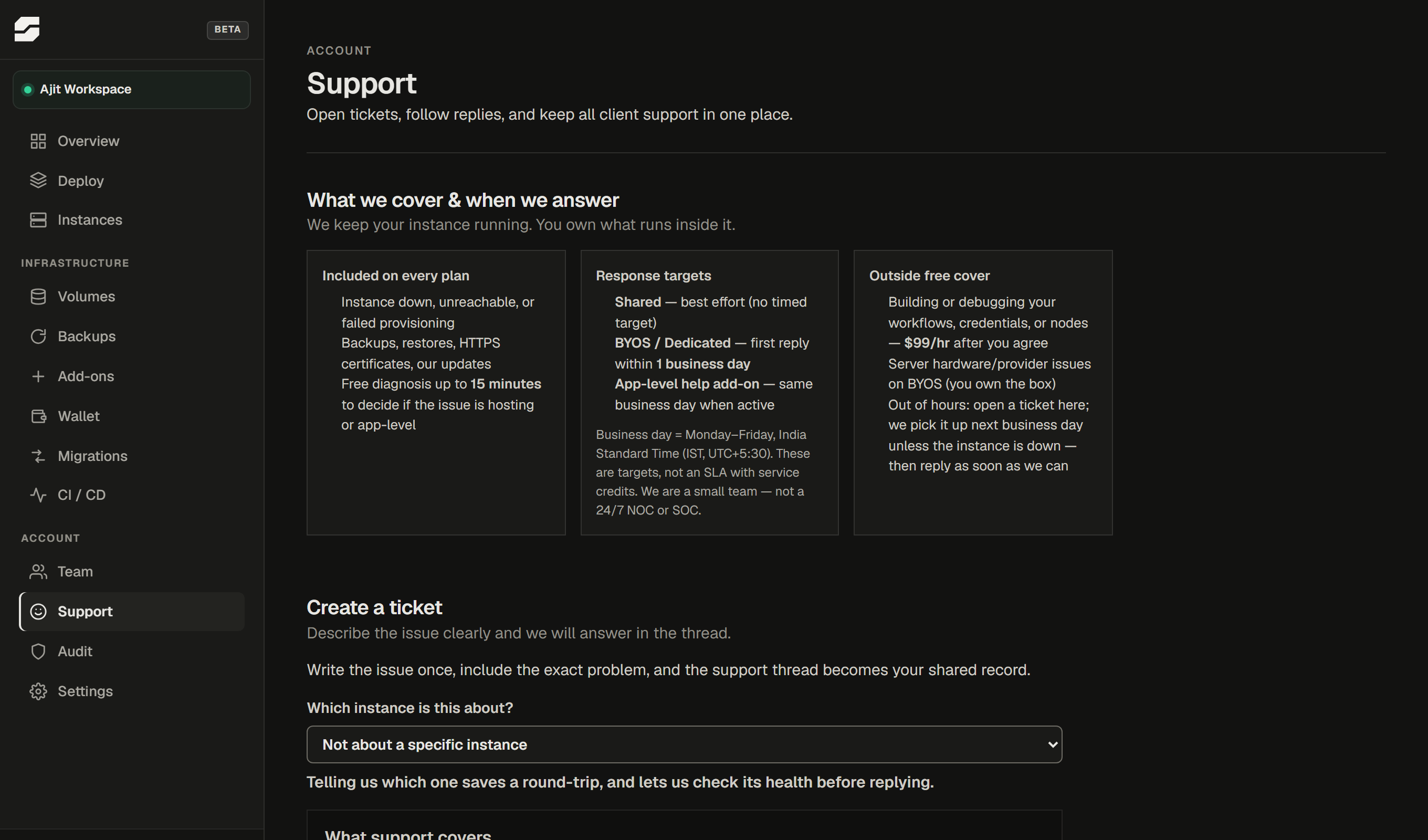
- Sign in to app.splicerun.com.
- Go to Support in the left sidebar.
- Click New ticket.
- Select the instance the issue is about (this saves a back-and-forth asking for it).
- Describe what you expected, what actually happened, and when it started.
You will receive a reply by email when we respond. Replies also appear in the Support page inside the dashboard.
What we cover on every plan
Platform problems - things on our side - are covered on every plan, with no time limit:
- Instance not starting or staying up
- Certificate (HTTPS/SSL) errors caused by our infrastructure
- Backup failures or restore errors
- Provisioning stuck or failed
- Billing discrepancies
App-level support
App-level work - your workflows, your credentials, your n8n configuration - is separate from platform support. The starting point for all tickets is a 15-minute triage to determine which side it falls on.
| Plan | App-level support included |
|---|---|
| Shared | Triage only - we diagnose, tell you which side it is, and stop |
| Dedicated / BYOS | Triage only by default |
| Business support add-on | A monthly allowance of app-level time; see Add-ons |
| Per-session billing | App-level work at $99/hr - quote confirmed before we start |
If your issue turns out to be on our side, it is unmetered regardless of plan.
How to get the fastest resolution
The faster we can understand what is happening, the faster we can fix it:
- Attach the instance when creating the ticket - it puts the instance ID, plan, and recent event log in front of whoever triages it.
- Give a timeline: "stopped working at 2pm UTC" is more useful than "broken today".
- Include the error message, not just that there is one - paste the full text rather than summarising it.
- Say what you already tried: if you restarted the instance, or reverted a workflow change, say so. It avoids us suggesting the same thing.
Response times
We do not publish fixed SLA times - n8n on a $5 plan and n8n running a business's core operations warrant different treatment, and a number we put in a document sets an expectation we may not meet in every case.
What you can expect: tickets are triaged in the order they arrive, and business-hours responses are faster than overnight ones. The Business support add-on does not come with a contractual SLA but it does move you into a higher-priority queue.
Contact
You can also reach us at splicerun.com/contact if you cannot sign in.