Add-ons
Add-ons extend what your base plan includes. Go to Add-ons in the left sidebar to see what is available for your account.
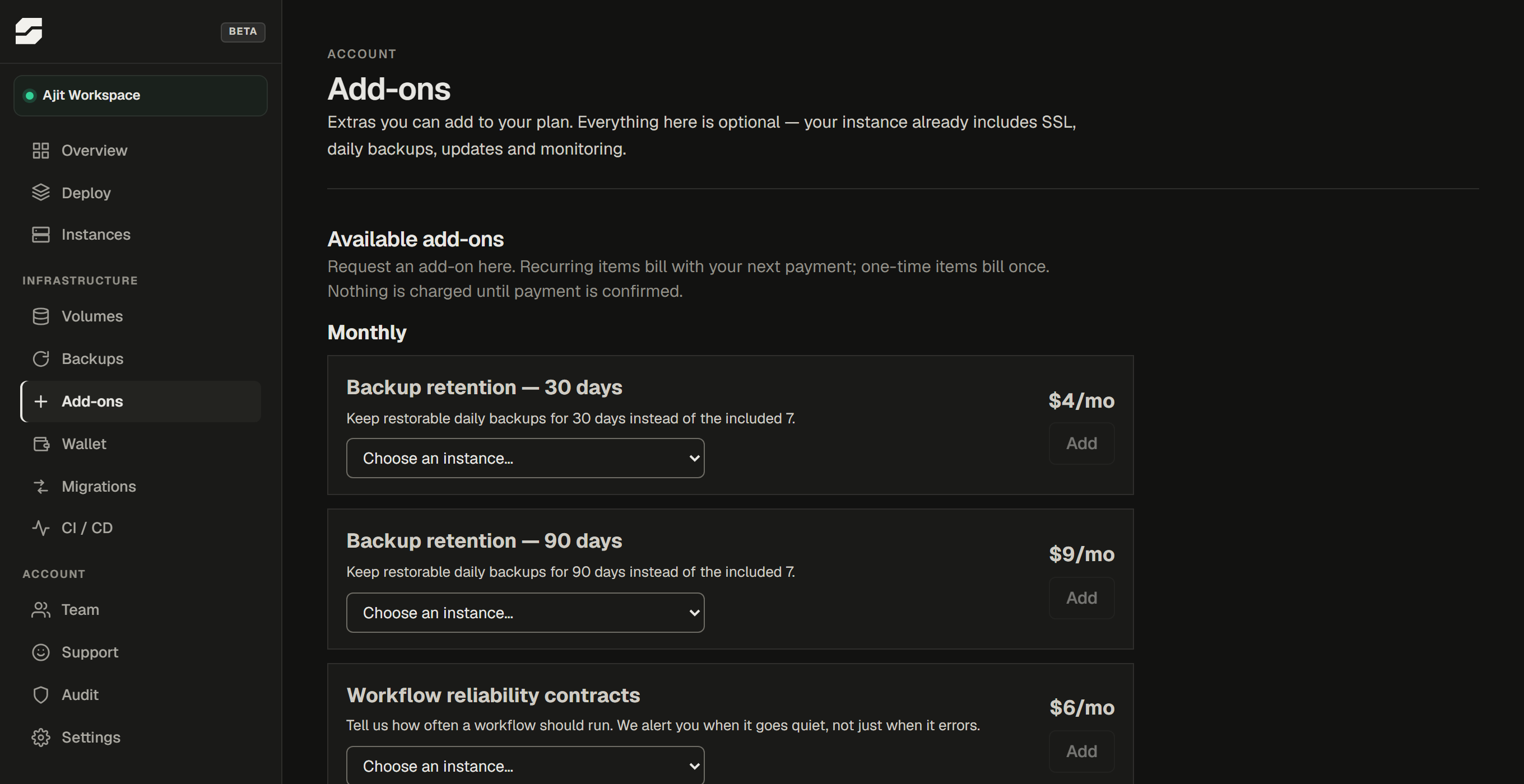
What add-ons exist
| Add-on | What it gives you |
|---|---|
| Business support | A monthly allowance of app-level support time. See Getting help for what this covers. |
| Extended backup retention | Keeps restore points for 90 days instead of the default 30. |
| Workflow contracts | Tells you when a workflow stops running. See below. |
The available list and prices are shown in your dashboard. Prices shown there are current - do not rely on a screenshot or a cached page for pricing.
Workflow contracts
Failure alerts tell you when a workflow ran and broke. They cannot tell you when a workflow never ran at all - nothing failed, so there is nothing to report. That is usually the one that costs you money: the hourly sync that quietly stopped firing, and nobody noticed for a week.
A workflow contract is you telling us what normal looks like - "this should run at least once an hour". We count the runs and tell you when reality stops matching.
Two things must both be true for it to work:
- The add-on is active on that instance.
- Failure monitoring is switched on for the instance. Contracts count runs, and with monitoring off we do not connect to your instance's database at all. If monitoring is off, the contract simply reports nothing - it does not switch monitoring on for you.
We count how many times a workflow ran. We do not read what it did, what data it moved, or how many items it processed - the permission that would allow that is one PostgreSQL refuses us. See What our monitoring can see.
How to request an add-on
- Go to Add-ons in the sidebar.
- Choose the add-on and the instance it applies to (where relevant).
- Click Request.
Requesting does not activate the add-on. It creates a payment request. The add-on becomes active only after the payment is confirmed. You will see the pending payment in your billing dashboard.
What happens after payment
Once payment is confirmed, the add-on is marked active and takes effect immediately. Recurring add-ons renew monthly alongside your subscription. One-time add-ons (like a single support session) are consumed within the stated period and do not auto-renew.
Removing an add-on
Contact support to cancel a recurring add-on before the next billing date. Unused portions of a billing period are not refunded unless stated otherwise in the add-on description.